
REFERRAL PERKS®
Earn $100* for you and your friend for every successful referral.

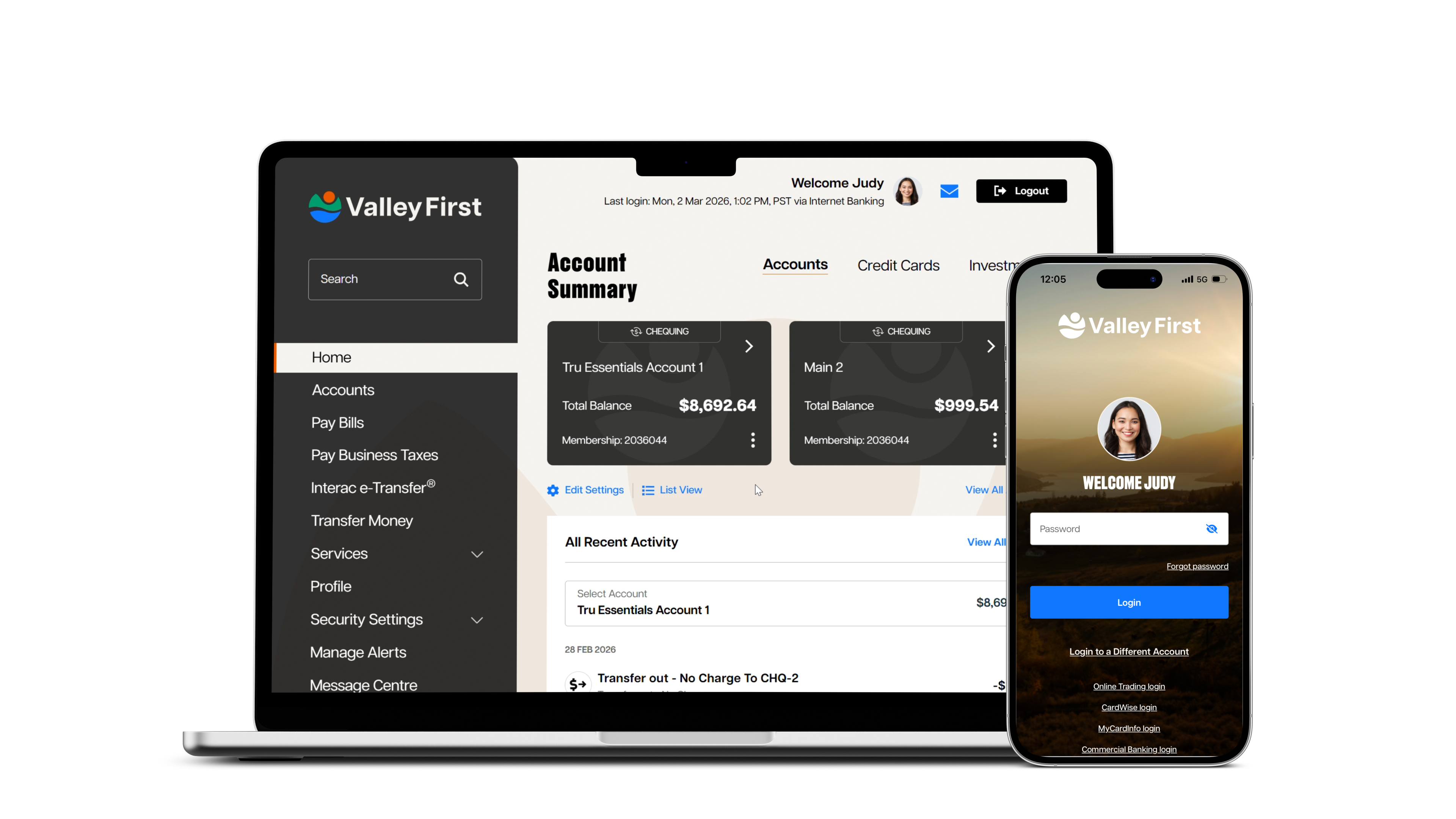
We've created a new online banking experience for personal and business banking, launching May 5. It's smoother, more intuitive and works the same whether you're on your desktop computer, laptop, tablet or phone. Built with industry-leading protections, the new experience will grow and evolve quickly, guided by member feedback.
We're also refreshing our website on May 26, with easier navigation and a cleaner look that better reflects Valley First's connection to Tru Cooperative Bank and its group of brands across B.C.
You'll notice an updated logo, along with refreshed colours and fonts. These changes are intentional and part of the refreshed experience.
We’ve outlined the most important things you’ll need to know as you transition to our new digital banking experience. Review the information below to be fully prepared.
Learn about essential digital banking transition information in the following languages:
Punjabi (ਪੰਜਾਬੀ)  | Simplified Chinese (简体中文) | Spanish (Español)
Set-up your access
Update any saved bookmarks to online banking with the new website address. Download the new mobile app from the Apple App Store® or Google Play™ Store on or after May 5.
Look for the new app icon:
Download app here:


Review login requirements
Take a moment to review the updated username and password requirements and ensure you know your existing online banking credentials (member card number and password).
BUSINESS BANKING
Review & action pending transactions
Any transactions pending approval will not transfer to the new online banking experience and must be actioned prior to May 5
Verify your identity with two-factor authentication (2FA)
During your first time signing in, you'll receive a verification code by email, text or voice call to the contact information we have on file. Without this code, you will be unable to log in to the new experience.
Create a new username and password
When signing in for the first time, you'll create a new username and password that meet updated security requirements. This helps protect your information.
Set-up account alerts
Any account alerts you previously set up won't carry over automatically. You can easily set them up again once you've logged in. Low balance alerts will automatically default to $100, and you can update this amount anytime in online banking.
PERSONAL BANKING:
Link Collabria, Aviso and Qtrade accounts
If you use a Collabria credit card, you will need to link it again in the new digital banking experience. If you have Aviso or Qtrade investments, you may also need to re‑link those accounts.
BUSINESS BANKING:
Consolidate connected accounts and establish business delegates
You'll need to consolidate connected accounts to access personal and business accounts with a single login. Then you'll need to set-up account delegates—trusted individuals who can perform functions on your behalf in online banking—and their level of access. Existing delegates will not carry over to the new platform.
Scheduled and recurring Interac® e-Transfer services won't be available in our new digital banking experience.
Learn from the key actions from our how-to videos and PDFs, to start confidently using our new digital app platform.
Step‑by‑step visual guides to help you get set up
Self-Serve Telephone Banking lets personal members complete everyday transactions 24/7. Check your balance, transfer funds and pay bills, without waiting to speak to an advisor.
Self enroll today:
• Call us at 1-888-597-8083
• Provide your Branch and Member Number
• For security, enter the code sent to your phone or email
• Set up your Telephone Banking PIN (no repetitive or sequential digits such as 1111 or 1234)


Extended hours: May 5–31, 2026
Regular hours

Chat live online with an advisor
Monday to Friday: 9 AM – 5 PM
You’ll be redirected to a new login page with an updated logo that reflects our evolved brand. Then you’ll be guided through a one-time setup to create your new online banking profile. You’ll create a new username and password and complete a two-step verification process to confirm your identity. To receive your verification code, your email address and cell phone number must be up to date.
Usernames in the new digital banking platform must meet the following criteria:
Passwords in the new digital banking platform must meet the following criteria:
Two-step verification is used more frequently during your first login, when you switch devices or when you take higher-risk actions. This helps to protect your account. You may notice more prompts in the beginning while the platform learns your typical login behaviour. Saving your device as a preferred device will reduce how often you’ll complete two-step verification.
Most likely it’s because your contact information on file (email and cell phone number) is outdated, incorrect or missing. Please call our Member Advice Centre or visit your nearest branch so we can update your information.
When it launches on May 5. We'll notify you in advance with details on what to expect and how to prepare.
You don't have to use online banking to manage your finances. However, if you choose to bank digitally, you'll need to use the new online banking experience. Once it launches, the existing platform will be retired. To continue banking online or through the mobile app, you'll need to complete the one-time setup.
You can complete your first-time login using either the mobile app or a desktop computer, whichever is most convenient.
However, we recommend first-time login is completed on a desktop or laptop computer. These devices are more likely to have up-to-date software, which reduces security and performance risks. Completing first-time login is also an easier and more efficient process when using a full-size keyboard and a larger screen.
Some things will feel familiar, while others will require setup when you first get started:
Yes. Once the new online banking experience launches, the existing app will no longer work. You will need to download the new mobile app from the Apple App Store® or Google Play™ store.
Yes. For security reasons, biometric login—such as fingerprint or Face ID on supported devices—will need to be set up again after you install the new mobile app. Biometric login is optional. You can choose to sign in using your password instead.
The mobile app currently supports iOS 13 or later for Apple (iOS) devices, and Android 10 or later for Android devices.
There may be a few reasons for this. Please check that your contact details match what Collabria, has on file for you. You can call Collabria to verify using the phone number on the back of your credit card. If your contact details aren't the issue, please try again or contact us for help.
With our new digital banking experience, your credit card balance is shown for the entire account, not per individual card. If you have more than one card on the same account (for example, a primary and a secondary card), purchases from all cards are combined into one total balance. Any closed card will also be included. This reflects how credit cards are billed, the primary cardholder is responsible for the full balance.
Yes. While there is one combined balance, you can still see individual transactions for each card, including which card made each purchase (for example, by the last four digits of the card). Seeing transactions you didn’t personally make is expected and does not mean there’s an issue with your account.
No. Me‑to‑Me transfers, which allow you to move money between your Valley First account and your personal account at another Canadian financial institution, will no longer be available. Business‑to‑Business transfers, which provide similar functionality for business accounts, are also being discontinued.
As an alternative, Interac e‑Transfer® offers a secure and widely used way to send and receive money quickly and conveniently between Canadian financial institutions.
No. We understand this may be frustrating for members who use this function to manage regular payments. While we're exploring options to support similar needs in the future, there isn't a direct replacement at this time.
One time Interac e-Transfer services will continue to be available. You can also set scheduled or recurring transfers between your Valley First accounts, use bill payments, pre-authorized debits, and remote cheque deposit where appropriate. Contact an advisor if you have questions or need help choosing the best alternative.
Yes. Your existing bill payees and Interac e-Transfer contacts will automatically transfer and be available in both desktop online banking and the mobile app once your migration to the new online banking experience is complete.
The new platform has strong security measures to protect your information and accounts, including two-step verification, enhanced login requirements, improved fraud monitoring and built-in safeguards aligned with accessibility and security standards.
During times of change, scammers may try to appear legitimate by using fake “help” messages or alerts, look-alike websites and our existing or evolved brand visuals. Here’s what you can do to protect your information:
Report any suspicious messages to reportphishing@valleyfirst.com If you suspect you may have clicked on a suspicious link, contact us using our official phone number above.
Older devices can pose a security risk when accessing digital banking services. Modern banking apps have advanced security features that rely on up-to-date operating systems and device capabilities. Devices that no longer receive regular software or security updates are more vulnerable to threats, including malware and unauthorized access.
Additionally, older devices often lack the processing power and memory required to run today’s applications effectively. This can lead to performance issues, such as apps not installing, crashing, running slowly or failing to display information correctly.
In addition to benefits available to all members, business members can add up to five consolidated memberships and an unlimited number of delegates. The new business online banking platform also offers the “Forgot password” feature.
Yes. You’ll need to consolidate connected accounts to access personal and business accounts with a single login.
You’ll also need to set-up account delegates—trusted individuals who can perform functions on your behalf in desktop and mobile banking—and their level of access. Existing delegates will not carry over to the new platform. An advisor can guide you if you need help but can’t complete this for you.
Some business members may need to reconnect third party accounting tools after moving to the new platform. If you've tried reconnecting and are experiencing issues, please report this to the software vendor.
Speak to an advisor on the phone or at a branch.

We acknowledge that we have the privilege of doing business on the traditional territory of First Nations communities.